
Support Ticket Analysis with SQL
Exported structured HubSpot tickets into SQLite to prioritize open work, summarize workload, and calculate a sample close-time metric.
Problem & approach
Situation
Ticket records need consistent fields and a clear priority order before they can support useful workload analysis.
Goal
Turn a small HubSpot export into a queryable dataset for identifying urgent open work and summarizing ticket activity.
Solution
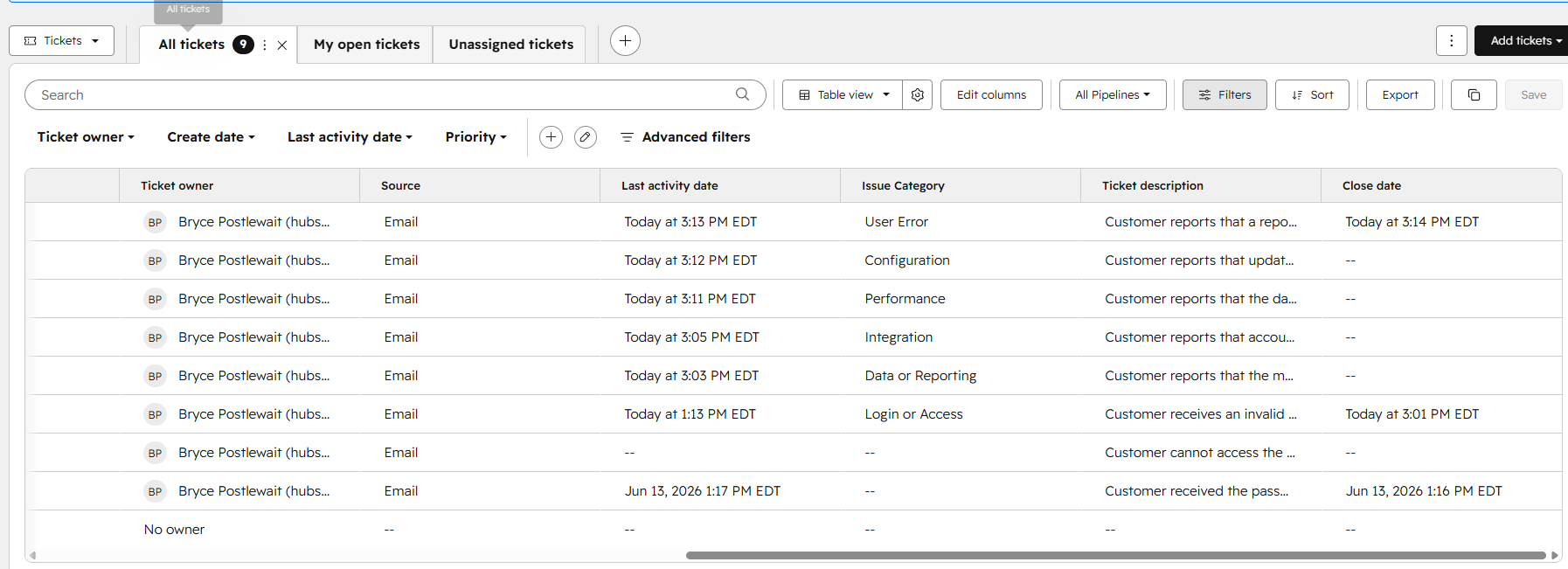
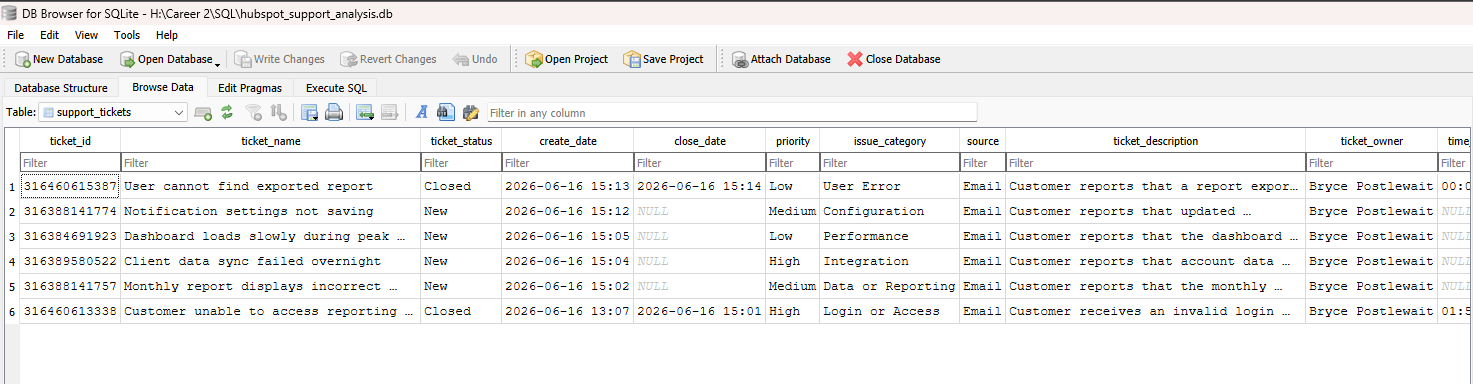
Cleaned the CSV, imported it into a support_tickets table, and used SQL filters, priority sorting, grouped counts, and duration calculations.
How the data flows
A manual export-and-import workflow connects ticket records to repeatable analysis.
- HubSpot ticketsStatus, priority, category + dates
- CSV exportSelect relevant support records
- Data cleaningNormalize names + numeric values
- SQLite tableImport into support_tickets
- SQL analysisTriage, counts + close time
Follow the analysis
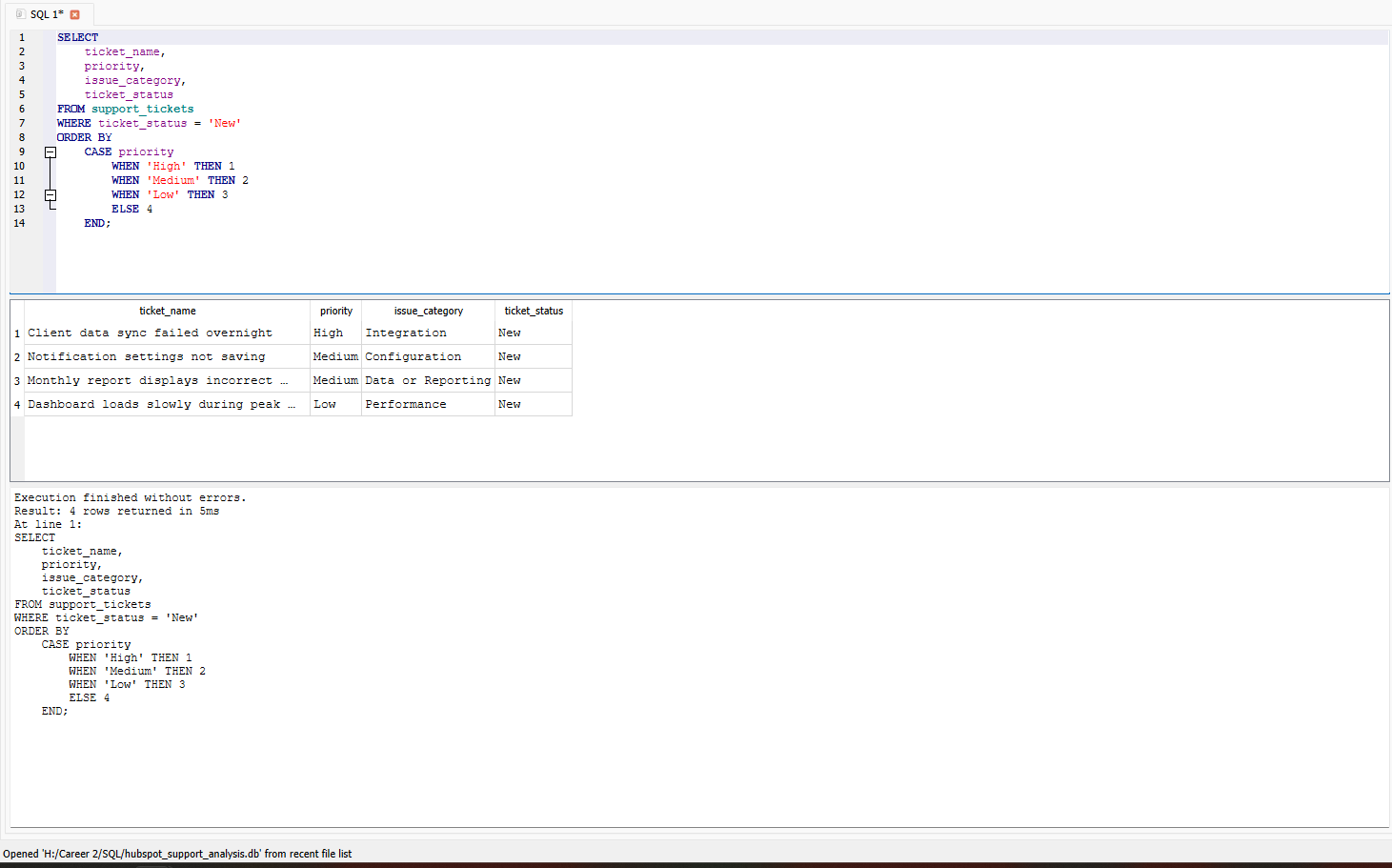
Open each screenshot to inspect the source records, database import, and query output.
Key design decisions
Data layer
Keep useful ticket fields, remove unrelated records, and normalize column names. Convert duration values to numeric data before aggregation.
Triage layer
Use WHERE to isolate open work and ORDER BY with CASE to set a business priority order instead of sorting priority labels alphabetically.
Reporting layer
Use COUNT and GROUP BY for status, category, and priority summaries. Apply AVG and ROUND to prepared close-duration values.
What the analysis delivers
- A structured SQLite table containing six simulated support records.
- An open-ticket queue ordered by High, Medium, then Low priority.
- Workload summaries by status, issue category, and priority.
- A reported sample average close time of 57.45 minutes from the supplied project calculation.
- A repeatable manual workflow from CRM export to SQL reporting.
The close-time figure describes this small simulated dataset; it is not a production benchmark or an improvement measurement.