
KPI Dashboard Pack
Built a lightweight reporting pack using shared outcome definitions, date properties, and filtered CRM views to make weekly outreach activity easier to review.
Problem & approach
Situation
In the simulated outreach scenario, inconsistent status definitions and missing dates made weekly activity difficult to compare across contact views.
Goal
Define what counts as outreach progress and give reps and managers a consistent way to review recent activity.
Solution
Aligned Outbound Status, Last Outbound Touch, and Meeting Set Date with shared date filters and customer exclusions.
How reporting works
Shared definitions and dates give each view a consistent reporting basis.
- Contact activityRecord outreach progress
- Outcome definitionsAttempted, connected, meeting set
- Date propertiesLast touch + meeting set date
- Reporting filtersTime window + customer exclusion
- KPI viewsRep views + weekly snapshot
See the reporting views
Open a screenshot to inspect its filters, properties, and contact records.
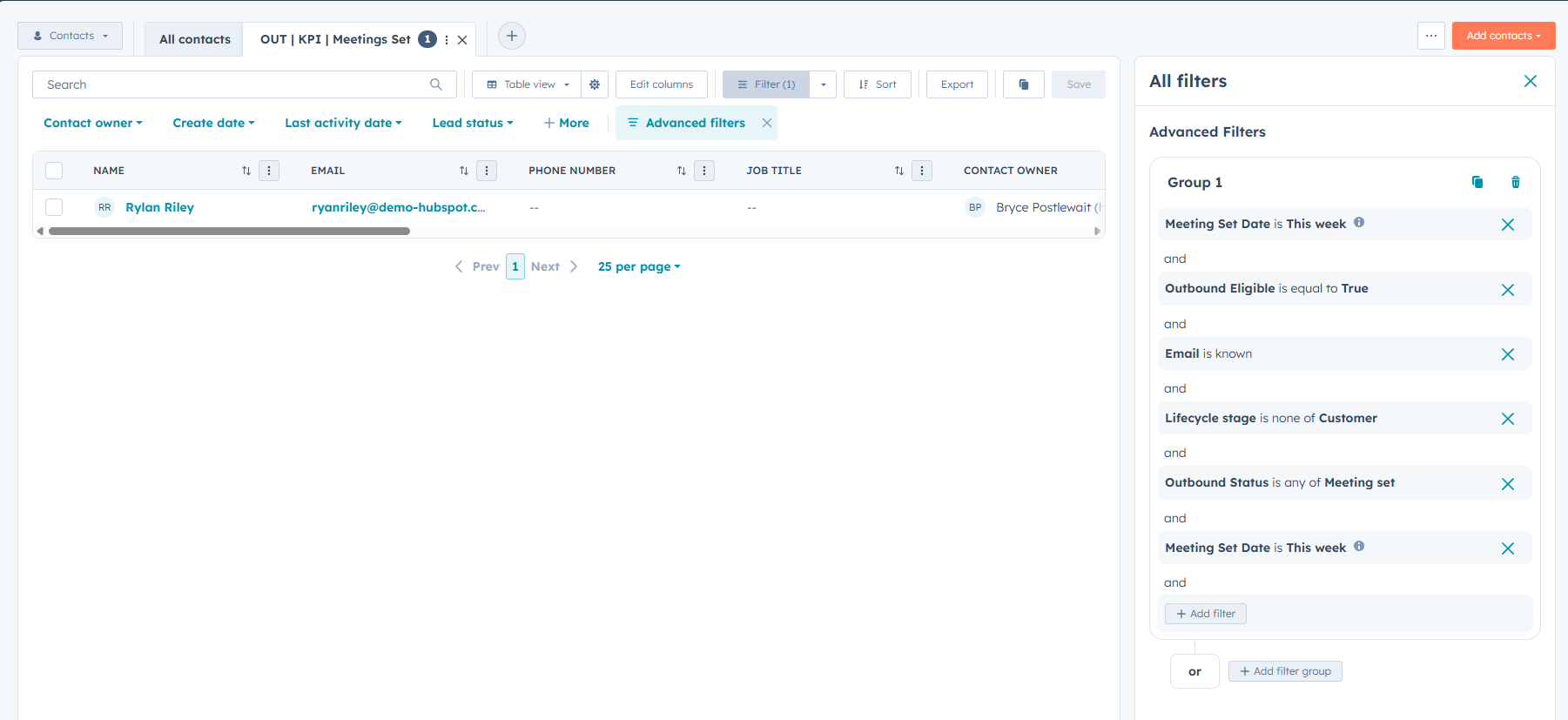 OutcomeMeetings set ↗
Meeting Set Date supports reviewing meetings within a defined reporting window.
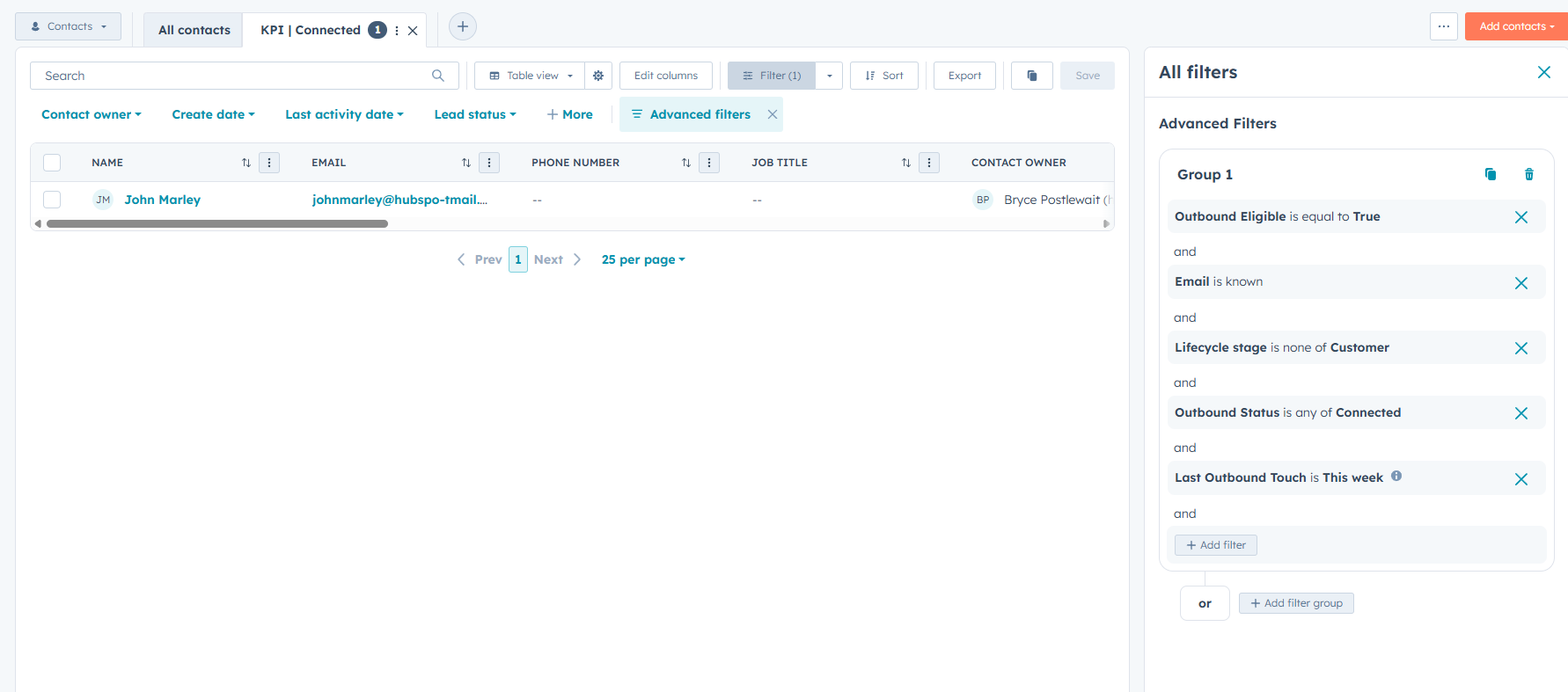 ProgressConnected contacts ↗
A shared Outbound Status definition identifies contacts marked as connected.
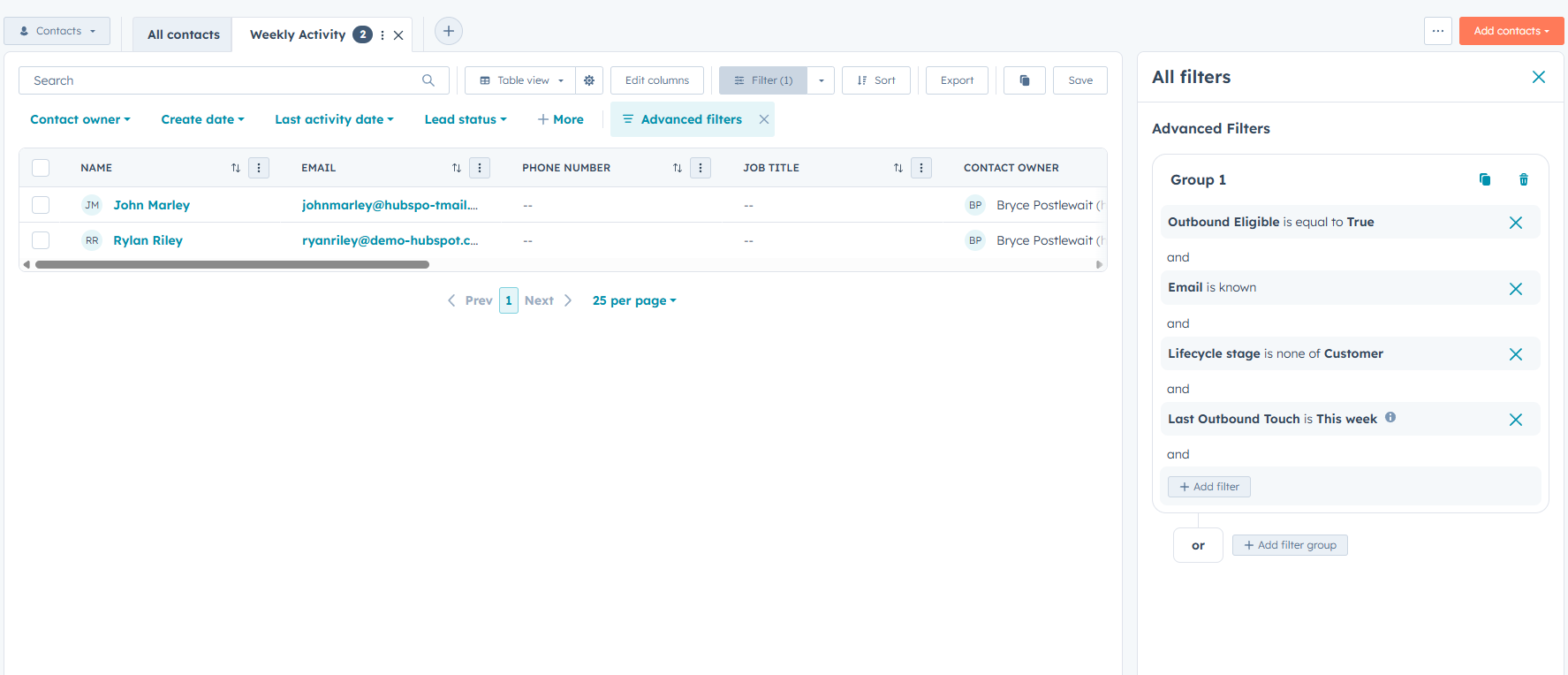 OverviewWeekly activity snapshot ↗
A manager-facing view brings recent outreach activity together for review.
Key design decisions
Definition layer
Use shared statuses for attempted outreach, connected, meeting set, nurture, and disqualified. Keep the meaning of each status consistent across views.
Date layer
Separate activity recency from meeting outcomes: Last Outbound Touch supports recent activity, while Meeting Set Date records when a meeting was set.
Reporting layer
Apply consistent reporting windows and exclude customers from outbound KPI views. Use current contact states as operational snapshots, rather than a complete history of every outreach event.
What the setup delivers
- Aligned definitions for attempted, connected, and meeting-set outcomes.
- Date-based meeting tracking for weekly review.
- Reusable contact views for rep activity and follow-up priorities.
- A weekly activity snapshot for manager review.
- Documented properties and filters for consistent maintenance.